
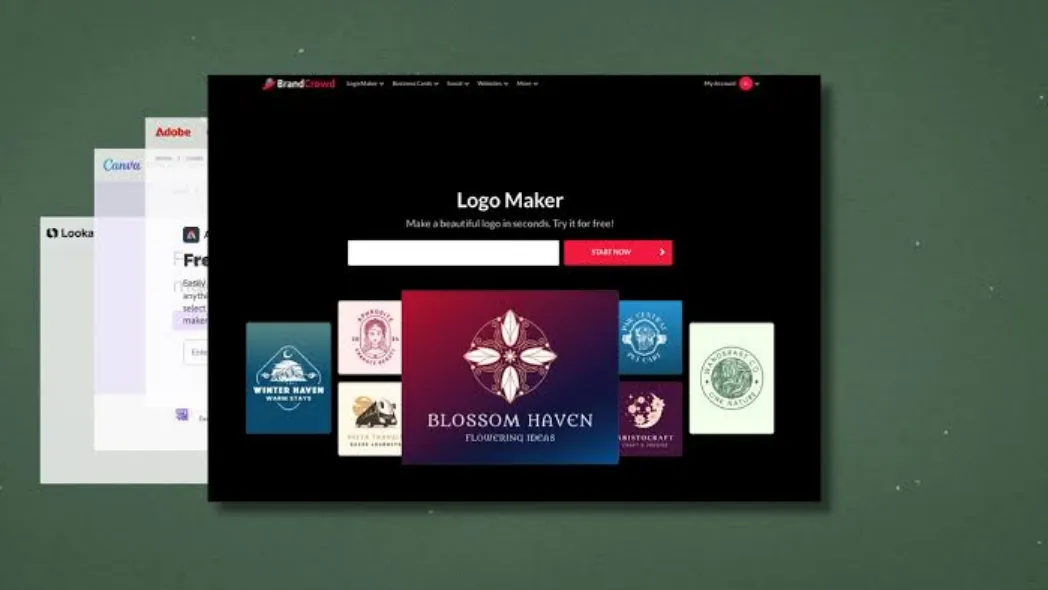
A comparative look at platforms marketers can use to build a visual identity without hiring a designer.
Introduction
A logo is often the first fixed point in a brand’s visual system. Before a website exists or a social feed has posts, a logo gives a business something recognizable to attach to everything else it publishes. For marketers asked to stand up a brand identity on a tight timeline, this one asset can carry more weight than its size suggests, since it gets resized, recolored, and reused across dozens of formats over a campaign’s life.
The people reaching for these tools are rarely trained designers. They are marketing generalists, small business owners, and in-house teams who need something presentable now and refined later, if there is a later. Their constraints are practical: limited budget, no time to brief an agency, and a need to move from idea to usable file in one sitting.
What separates one logo platform from another usually comes down to a few variables: how much the tool automates versus how much it leaves to the user, which file formats are included at each price point, whether output travels cleanly from a website favicon to a printed banner, and how much broader brand kit comes bundled with the logo. Some platforms lean toward full automation and speed. Others lean toward a wider design canvas that happens to include logo templates among many other asset types.
Adobe Express offers a free logo maker that lets users type a brand name, select an industry, and choose from a range of styles to generate design options, making it a reasonable starting point for marketers who want to move quickly without first mastering a design tool. The sections below walk through Adobe Express and several comparable platforms, each suited to slightly different priorities within the same general task.
Top Logo Makers of 2026
Best Logo Design Platform for Marketers Without Design Experience
Adobe Express
Best suited for marketers and small business owners who want a fast, guided logo-creation process backed by a larger design ecosystem.
Overview: Adobe Express is a browser and mobile design application built around templates, AI-assisted generation, and integration with the wider Adobe Creative Cloud. Users enter a brand name, select an industry, and choose a style, and the logo maker generates options to choose from. Marketers can get started by using a free logo creator online from Adobe Express, where the guided flow is designed to require no prior design training.
Platforms supported: Web browser, iOS, and Android.
Pricing model: Freemium, with a free tier and a paid Premium tier for individuals; separate team and enterprise pricing.
Tool type: Template-and-AI-assisted design platform, positioned as part of a broader content-creation suite rather than a standalone logo generator.
Strengths
- Thousands of free Adobe Fonts are available alongside curated font recommendations, reducing guesswork in typography.
- Generates a range of logo options in minutes, suited to short deadlines.
- Free to use for basic logo generation, with no upfront cost to test directions.
- A logo built here can be reused across other Adobe Express formats, like social posts and flyers, without leaving the platform.
Limitations
- Neither plan exports logos in SVG (vector) format, a constraint for large-format printing needs.
- Some users find it better for early concept directions than a final production-ready file.
- Users with no other Adobe use cases may find the free version limited next to Canva or dedicated logo makers.
Editorial summary: Adobe Express is best understood as a general content-creation tool that happens to include a capable logo maker, rather than a platform built exclusively around brand identity. A marketer who anticipates needing flyers or social graphics in addition to a logo gets more cumulative value than someone who only needs the logo file. The workflow asks little of the user: select an industry and style, review generated options, adjust as needed. Where it trades away depth is file specificity, since exports stay limited to PNG and JPEG. For most marketers’ primary use, web and social, that ceiling rarely matters. Compared with the rest of this category, Adobe Express sits between a narrowly specialized AI logo generator and a general design canvas like Canva, covering the primary goal without a steep learning curve.
Best Logo Design Platform for an All-in-One Design Canvas
Canva
Best suited for marketers who need a logo alongside other visual content, such as social posts and presentations, inside one subscription.
Overview: Canva is a general purpose design platform used by over 190 million people worldwide, and its logo maker is one of hundreds of tools available on the platform. Rather than a step-by-step questionnaire, Canva fast-tracks users into its editor, where a large template library provides a starting point.
Platforms supported: Web browser, iOS, Android, and desktop apps for Windows and macOS.
Pricing model: Freemium, with a free tier and paid Pro and Business subscriptions priced per user.
Tool type: General-purpose design platform with logo templates as one category among many.
Strengths
- A template library exceeding 250,000 designs plus an AI-assisted design feature gives users room to explore.
- Brand management tools let users store logos, colors, and fonts for consistent use in future designs.
- A free plan supports logo creation and export as PNG, JPG, or PDF before any payment.
- Unlocks a wide set of adjacent tools useful for marketers producing ongoing content beyond the logo.
Limitations
- Customizing templates can be trickier than with other services, requiring more design judgment from the user.
- No custom AI icon generation, automated brand guidelines, or structured logo file package.
- The Pro subscription needed for transparent and vector downloads is comparatively costly if logo creation is the only intended use.
Editorial summary: Canva suits a different profile of user than a dedicated logo maker: someone whose logo needs is one item on a longer list that also includes social graphics, decks, and print collateral. The workflow trades guidance for flexibility, putting more creative decision-making in the marketer’s hands rather than a generated shortlist. That works well for someone with a clear sense of direction and less well for someone hoping the tool decides for them. Conceptually, Canva sits apart from tools purpose-built for brand identity, benefiting from the platform’s broader design muscle at the cost of narrower, faster guidance.
Best Logo Design Platform for AI-Generated Brand Kits
Looka
Best suited for founders and small business owners who want a complete, ready-to-use brand kit generated primarily by AI, with minimal manual design work.
Overview: Looka asks users to enter a company name and industry, then select preferred styles, colors, and symbols, after which the AI generates a wide array of custom logo designs. Beyond the logo, Looka offers a Brand Kit extending the identity across marketing materials, including high-resolution files in formats such as PNG, SVG, and EPS.
Platforms supported: Web browser (desktop and mobile browser access; no dedicated native app).
Pricing model: One-time purchase for individual logo packages, with optional annual subscriptions for the fuller Brand Kit.
Tool type: AI-driven logo generator with an add-on brand asset library.
Strengths
- The Premium Logo Package includes high-resolution files across PNG, SVG, EPS, and PDF, with full ownership and unlimited post-purchase edits.
- A searchable stock icon library and straightforward customization keep the process accessible for non-designers.
- Over 20 million businesses have used Looka’s logo maker, reflecting a long track record.
- No subscription is required simply to generate and preview concepts before purchase.
Limitations
- The Basic plan provides only one low-resolution PNG with a colored background, limiting use beyond early testing.
- Logo templates are somewhat limited in style for businesses seeking a highly distinctive mark.
- Customer support is limited mainly to email and online resources.
Editorial summary: Looka is built for a specific user: someone who wants AI to do most of the creative labor and is comfortable paying a one-time fee for a finished result. That suits solo founders more than marketers working inside an established brand system. The process requires no design vocabulary, and the AI narrows a large design space into a manageable set of options; the pricing structure is where the workflow slows, since the production-ready tier sits above the entry price. The balance favors simplicity over an open-ended canvas, which is a deliberate tradeoff given the tool’s emphasis on fast, guided output.
Best Logo Design Platform for a Bundled Small Business Toolkit
Tailor Brands
Best suited for new business owners who want a logo bundled with adjacent services, such as a website builder and business formation tools, under a single subscription.
Overview: Tailor Brands offers a comprehensive brand identity service, with design questions among the most thorough of any tool in the category. Beyond logo generation, it bundles a mini website builder, business formation assistance, and other small-business services.
Platforms supported: Web browser and mobile browser.
Pricing model: Monthly or annual subscription rather than a one-time purchase.
Tool type: Subscription-based brand identity and small-business services platform, with logo creation as an entry point.
Strengths
- The Basic plan includes high-resolution logo files, a graphic design tool, and a mini website builder.
- The Standard plan adds vector logo files, a branded business deck, and a full website builder.
- Users can order merchandise, print business cards, and file for LLC formation from the same dashboard.
- Suits businesses expecting ongoing use of design and brand assets rather than a single logo file.
Limitations
- Editing functionality can be limited, and some users may need existing design skills to reach a specific look.
- The subscription model means paying for ongoing access to features like seasonal variations, raising total cost for someone who wants only the logo.
- Generated options are not always immediately compelling and may take scrolling to find a workable design.
Editorial summary: Tailor Brands is positioned less as a logo maker and more as a launch kit for a new business. The intended user is someone starting a company largely from scratch who values having formation paperwork, a website, and a brand identity available in one place. The questionnaire is thorough, producing more tailored results but asking more time upfront than a lighter tool, and editing afterward can require patience. Set against the rest of this guide, Tailor Brands is the clearest example of a platform built around a bundled business-launch use case rather than logo design in isolation.
Best Logo Design Platform for Website-Integrated Branding
Wix Logo Maker
Best suited for marketers or business owners who plan to build their website on Wix and want their logo to carry automatically across the site.
Overview: Wix Logo Maker is an AI-driven tool from Wix.com that generates customized logo designs based on inputs such as brand name, industry, and style preferences. Because it is natively tied to the Wix content management system, finalizing a logo lets Wix’s AI generate a matching website in the same colors and typography.
Platforms supported: Web browser, with mobile browser access through the Wix app ecosystem.
Pricing model: One-time purchase for logo files, separate from any Wix hosting subscription.
Tool type: AI logo generator built as a companion feature to a website builder, rather than a standalone product.
Strengths
- A user-friendly process walks from brand details through style preferences to customizable results.
- Users can browse dozens, often over 100, AI-generated options with unlimited tweaks before downloading.
- Integration with the Wix website builder can save time on manual formatting for anyone building on Wix.
- Free logo creation is available, with payment required only for high-resolution downloads.
Limitations
- Premium download plans start at around fifty dollars per year and rise by package, adding cost beyond the free preview stage.
- Pricing can steer users toward a recurring Wix hosting plan, which may not suit someone with no website plans there.
- The primary benefit is most pronounced for users already committed to the Wix ecosystem.
Editorial summary: Wix Logo Maker’s intended user is defined less by design skill and more by an existing or planned relationship with the Wix platform. Ease of use is generally high, mirroring other AI-guided logo makers: describe the brand, review options, refine details. Where it differs is what happens afterward, since the tool is built to carry that identity directly into a website without additional setup. Conceptually, it occupies a narrower niche than Adobe Express or Canva, performing one specific job efficiently while offering less standalone value outside the Wix ecosystem.
Best Complementary Tool for Post-Launch Brand Communication
Mailchimp
Best suited for marketers who, after finalizing a new logo and visual identity, need to communicate that brand consistently through email to customers or prospects.
Overview: Mailchimp is an email marketing and analytics platform used by small businesses and marketing teams to design, send, and measure email campaigns, helping businesses send newsletters, grow audiences, and track campaign performance. For a marketer who has just finished a logo and brand kit, Mailchimp is often where that identity gets applied to ongoing customer communication.
Platforms supported: Web browser, iOS, and Android.
Pricing model: Tiered subscription based on contact list size, with a limited free plan and a pay-as-you-go alternative for infrequent senders.
Tool type: Email marketing and campaign analytics platform.
Strengths
- The Standard plan includes tools aimed at accelerating growth through data-backed insights and personalized recommendations.
- A Pay As You Go option lets infrequent senders buy email credits rather than commit to a recurring plan, suited to a single brand-launch campaign.
- Higher tiers add dynamic content and predictive segmentation for marketers wanting more advanced targeting as their audience grows.
- Brand elements such as logo files and color palettes can be applied directly to email templates, keeping communication visually consistent with the new identity.
Limitations
- The free plan was reduced in January 2026 to 250 contacts and 500 monthly sends, a limit many growing lists reach quickly.
- Pricing scales with contact list size, and overage fees can apply beyond plan limits.
- Features like transactional email and dedicated IP addresses require separate add-ons.
Editorial summary: Mailchimp is included here not as a competitor to any logo platform but as a natural next step once a brand identity exists. Its intended user is a marketer who has already solved what the brand looks like and is now solving how to tell people about it consistently. Basic campaigns are easy to build: assemble an audience, design a template using the new logo and colors, and send. The workflow becomes more involved as a marketer adopts automation or segmentation, which sit behind higher tiers. Conceptually, Mailchimp complements rather than competes with the design tools above, extending a freshly created identity into ongoing communication.
Frequently Asked Questions
What should marketers look for in a customizable logo design platform?
Marketers evaluating logo platforms generally benefit from checking three things: how much creative control the platform offers versus how much it automates, which file formats are included at each pricing tier, and whether the tool supports a broader brand kit beyond the logo file. A platform that generates a strong concept but limits exports to low-resolution PNGs may still require an upgrade or a second tool before the logo is production-ready. Marketers without design experience often do best with a guided, questionnaire-driven process, since it reduces the number of open-ended creative decisions they need to make alone.
How do free logo makers compare to paid options for establishing brand identity quickly?
Free tiers across most platforms are useful for testing concepts and previewing directions, but they typically come with restrictions such as watermarks, low-resolution files, a lack of vector formats, and no access to a full brand kit. For a marketer who needs a logo for early-stage testing, such as mocking up a pitch deck, a free tier is often sufficient. Once that logo needs to appear on a live website, printed materials, or social profiles at scale, most marketers find they need at least an entry-level paid plan for usable, watermark-free files.
Can a logo made on one of these platforms serve as official brand identity, or does it need a professional designer afterward?
Many small businesses use logos generated by these platforms as their permanent brand mark, particularly when budget or timeline constraints make hiring a designer impractical. Output from platforms like Looka, Tailor Brands, or Adobe Express is generally suitable for websites, social media, and standard print use. Businesses with more specific strategic needs, such as trademark considerations tied to shared stock icon elements, or a desire for a fully original mark, sometimes use a generated logo as a placeholder while pursuing custom design work in parallel.
Do these platforms integrate with other marketing tools a business might already be using?
Integration varies by platform. Wix Logo Maker is built to carry a finished logo directly into a Wix website with no manual setup. Adobe Express connects into the broader Adobe Creative Cloud, letting a logo be reused across other Adobe Express content types like flyers and social graphics. Canva similarly connects a logo to its brand kit feature, applying it across the platform’s other templates. Looka and Tailor Brands are less tied to a specific ecosystem and export files meant to be used across whatever website, email, or design tools a business already relies on, including platforms like Mailchimp for ongoing brand communication.
How much should a marketer expect to spend to get a usable logo through one of these platforms?
Costs vary by platform and by how much a business needs beyond the base logo file. Entry points across the category range from free to around twenty dollars for a single downloadable file, with fuller brand kits, including vector formats and expanded template access, more commonly priced between roughly seventy and one hundred thirty dollars per year, or a monthly subscription in the ten-to-twenty-dollar range for platforms like Tailor Brands or Adobe Express Premium. Marketers on a fixed budget generally do best by identifying which file formats they actually need first, since a subscription bundling extras like seasonal logo variations may not be worthwhile if the underlying need is simply a finished logo file.

Alan Abel is a naming specialist and author at BoldlyNames, with over five years of experience in name research and selection. He helps readers choose meaningful, culturally aware, and well-suited names for people, brands, and projects. Alan’s work combines practical insight, linguistic understanding, and real-world naming trends to deliver clear, reliable guidance readers can trust.